
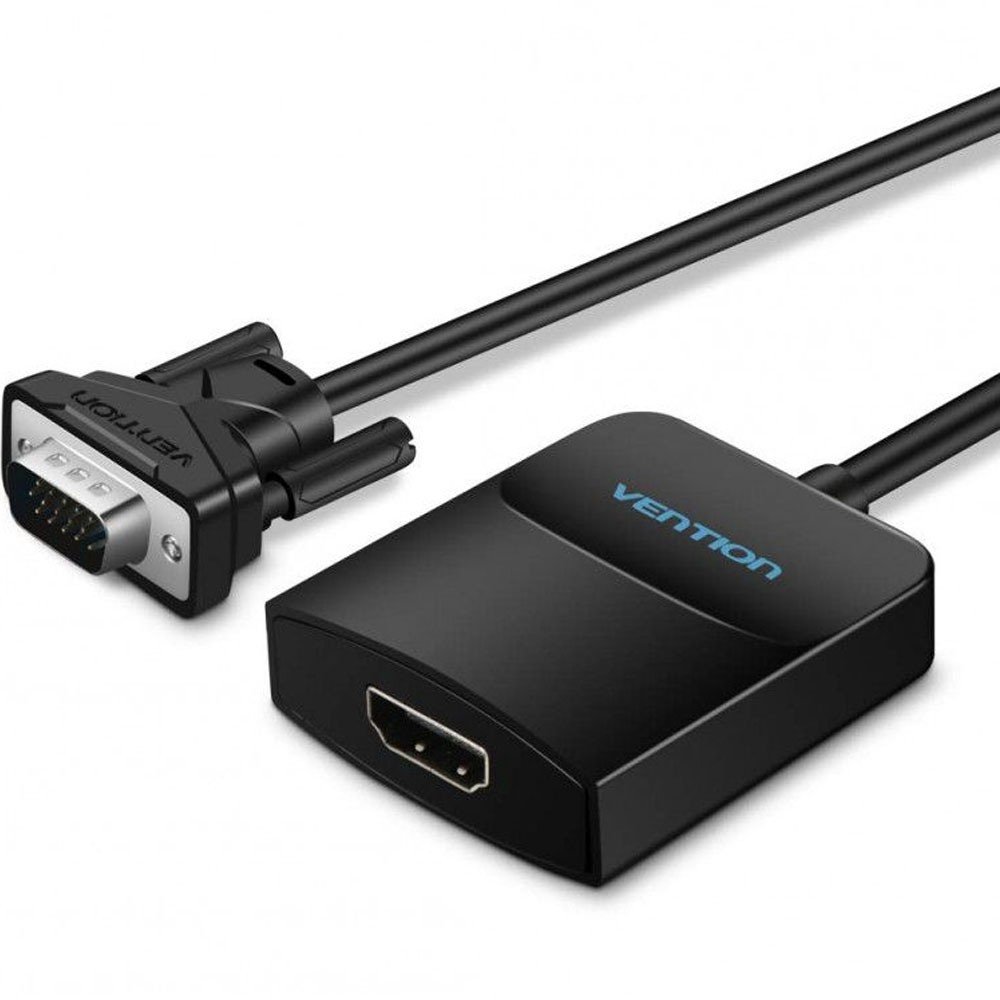


The Vention ACEB0 VGA Male to HDMI Female Converter allows a VGA-equipped computer to connect to a modern HDMI monitor, television or projector. It converts analog VGA video into digital HDMI output, providing a practical display solution for older computers and compatible HDMI screens.
Top Highlights
- VGA to HDMIConnect VGA PCs to HDMI displays.
- 1080P@60HzFull HD video output.
- 3.5mm AudioAdd audio to HDMI output.
- 15cm CableCompact, convenient connection.
About the Vention ACEB0 VGA to HDMI Converter
The Vention ACEB0 is an active VGA-to-HDMI converter designed to connect a computer with VGA output to an HDMI monitor or projector. It supports resolutions up to 1920×1080 at 60Hz and features a VGA male connector, HDMI female output, 3.5mm audio input and Micro USB power input. Its aluminum alloy housing, nickel-plated connectors and short integrated cable make it suitable for upgrading VGA display connectivity without replacing compatible existing computer equipment.
Design & Performance
One-Way VGA to HDMI Signal Conversion
The Vention ACEB0 converts an analog VGA signal from a computer into a digital HDMI signal for a compatible monitor, television or projector. Its VGA male connector attaches to the source computer, while the HDMI female port connects to the display using a separate HDMI cable.
The signal direction is VGA input to HDMI output only. This converter cannot be used to connect an HDMI-output computer to a VGA-input monitor, because that requires a different type of converter.
Full HD 1080P Video at 60Hz
The converter supports a maximum output resolution of 1920×1080 at 60Hz, providing Full HD video for everyday office applications, presentations, web browsing and compatible video playback.
Actual resolution and image quality depend on the source computer’s VGA output, the connected HDMI display and the quality of the HDMI cable. This model should not be advertised as supporting 4K video output.
3.5mm Audio Input for HDMI Sound
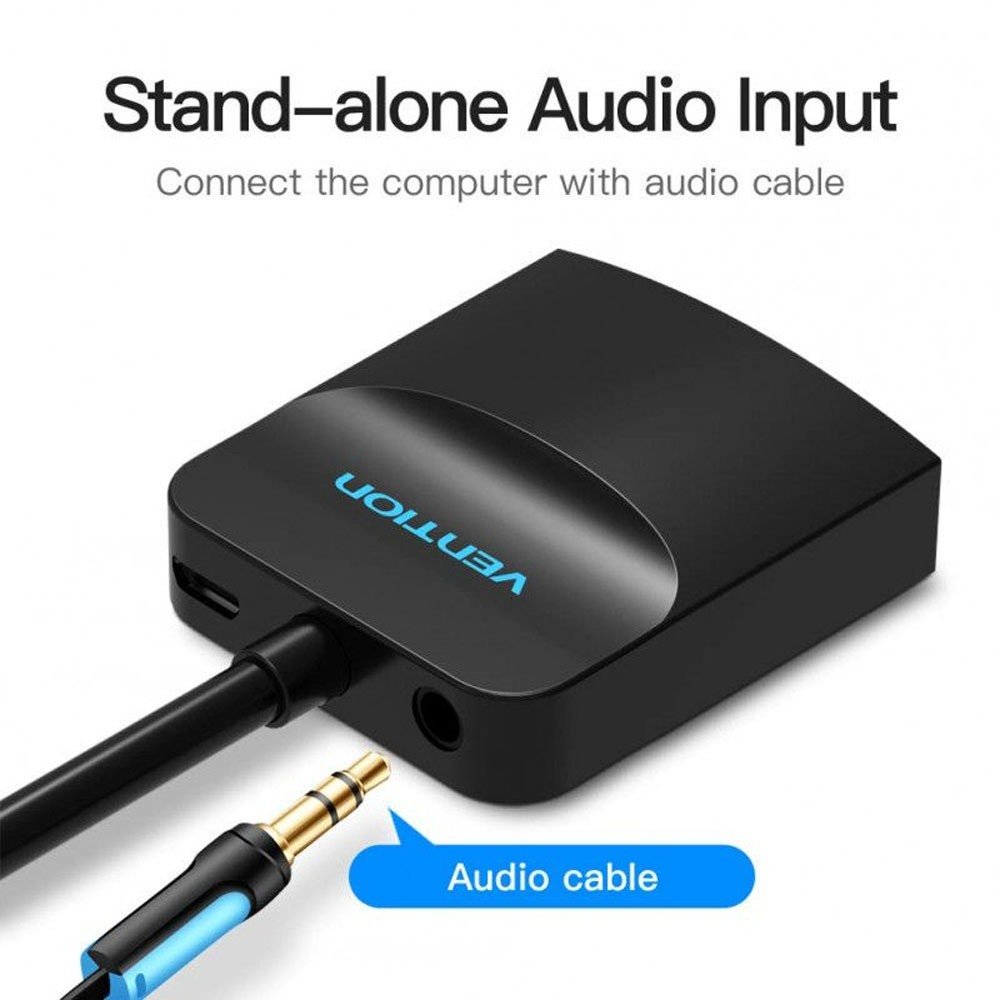
Because VGA carries video without audio, the Vention ACEB0 includes a 3.5mm audio input for connecting an analog audio signal from the source computer. This allows compatible audio to be combined with the converted video for output through HDMI.
Users who require sound should connect a suitable 3.5mm audio cable from the computer’s audio output to the converter’s audio input. Without a separate audio connection, VGA video alone will not provide sound.
Micro USB Power Input for Active Conversion
The Vention ACEB0 includes a Micro USB power input to supply its active video conversion circuitry. The product’s published electrical specification identifies a 5V/1A power requirement.
A suitable USB power source should be used for normal operation. The power connector is not a USB data port, and its purpose is to power the VGA-to-HDMI conversion process.
15cm Integrated Cable and Durable Housing
The converter features an integrated 15cm VGA cable, allowing convenient connection to the VGA output on a desktop computer or laptop. Its short cable design helps reduce unnecessary cable clutter in compact installations.
The black aluminum alloy housing offers a durable exterior, while the nickel-plated connector design supports regular connection and disconnection. The compact form factor is convenient for office desks, classrooms and portable presentation setups.
Practical Compatibility for VGA Computers
The Vention ACEB0 is suitable for desktop computers, laptops and other compatible equipment with VGA video output. It can connect these sources to HDMI-input monitors, televisions and projectors for everyday display use.
Users should confirm that the source provides VGA output and the receiving display has HDMI input. The adapter does not add VGA output to a computer that only has HDMI, and the Micro USB connection does not function as an alternative video input.
Who It’s For
Office Professionals: Connect older VGA desktop computers to HDMI monitors. Teachers and Presenters: Display VGA computer content through HDMI projectors. Home Users: Continue using VGA-equipped PCs with modern televisions or monitors. IT Technicians: Adapt existing VGA computer connections to HDMI display equipment. Small Businesses: Connect legacy office computers to newer digital displays without changing the source computer.
Connect a VGA computer to an HDMI display with Full HD 1080P@60Hz video and separate audio input support.
| Product Specifications | |
|---|---|
| Tech Specs | Product Type |
| Input Connector | VGA 15-Pin Male |
| Output Connector | HDMI Female |
| Audio Input | 3.5mm Female |
| Power Input | Micro USB Female |
| Power Requirement | DC 5V/1A |
| HDMI Version | HDMI 1.4 |
| Maximum Resolution | 1920 × 1080 @ 60Hz |
| Signal Direction | VGA to HDMI (One-Way) |
| Cable Length | 0.15m / 15cm |
| Material | Aluminum Alloy Housing |
| Connector Plating | Nickel-Plated |
| Color | Black |
| Compatible Devices | VGA-Output Computers and HDMI-Input Displays |
| Audio Support | Through Separate 3.5mm Input |
| Warranty Information | |
| Warranty | N/A |
Based on 0 reviews
Only logged in customers who have purchased this product may leave a review.



There are no reviews yet.